• Home
  • For You
  • Create
  • Pricing
  • More
Undress Me
Settings
ThemeAtelier
NSFW Video GeneratorNSFW Image GeneratorPrivacy policyTerms of serviceRefund policy
Premium-50%50% off
Lite

Premium membership from $19 per month

Premium benefitsMore benefits
Fast generationHD outputAll image toolsAll video tools
Undress Me

UndressMe AI Image Generator for Outfit Remix

Build the UndressMe AI Before-After Image First

Keep the transformation focused: one wardrobe cue, one pose-safe comparison, and one private proof before you expand the undress ai result.

01

Set the outfit-remix boundary

Name the garment change, coverage level, and style target so UndressMe AI does not drift into a vague glamour edit.

02

Protect the before-after comparison

Keep pose, face angle, and lighting consistent enough that the transformation can be judged against the original image direction.

03

Save one private transformation proof

Compare drafts by reveal control and realism. Keep the undress ai image that proves the target before trying a larger scene or clip.

Transformation workflow

Create UndressMe AI Images With Before-After Control

This workspace keeps the undress ai result focused on the outfit-remix goal: clear wardrobe change, stable pose, and private comparison before expansion.

Define the Wardrobe Change

UndressMe AI needs a direct outfit cue before style, lighting, or background details are added.

Name the garment, fabric, and reveal level.
Keep the pose readable for comparison.
Avoid changing the whole scene when only the outfit should change.

Model strength

Media example pending. This block highlights the model behavior the page is describing.

Model strength

Media example pending. This block highlights the model behavior the page is describing.

Use a Private Edit Mirror

Before-after control comes from protecting identity, crop, and camera angle while the wardrobe layer changes.

Hold face angle and lighting steady.
Use the same crop across retries.
Judge the result against the original transformation note.

Compare Small Proofs Before Scaling

A controlled undress ai proof is cheaper and easier to judge than a full scene set.

Create two or three focused drafts.
Change one outfit variable per retry.
Keep the proof that best matches the before-after target.

Model strength

Media example pending. This block highlights the model behavior the page is describing.

Model strength

Media example pending. This block highlights the model behavior the page is describing.

Move to Motion Only After the Image Works

Video makes weak outfit direction worse; start with a stable UndressMe AI image first.

Save the prompt beside the selected proof.
Carry wardrobe wording into the video prompt.
Extend only when the still already reads correctly.
UndressMe use cases

UndressMe AI Image Use Cases for Controlled Outfit Remix

Choose a lane by the transformation proof you need, not by a generic image-generation category.

Soft reveal proof

Test a subtle outfit change while keeping the face, pose, and camera angle stable for before-after review.

Lingerie-style remix

Prompt a more direct adult UndressMe outfit remix with clear fabric, lighting, and crop notes so the result remains controlled.

Before-after comparison board

Create a saved proof that shows what changed, what stayed anchored, and whether the UndressMe AI direction is worth extending.

Private transformation pack

Generate a small set of related undress ai image proofs, then keep only the best direction for future scenes.

UndressMe prompts

UndressMe AI Prompt Templates for Private Outfit Remix

Use these undress ai image prompts when you need a controlled before-after proof instead of a generic glamour picture.

Soft Outfit Reveal Proof

Proven industry-standard Prompt best-practice generation workflow guide

Reference pose + garment change + reveal level + lighting + comparison note

Dive into Complete prompt Documentation and Technical Specifications Reveal Full Comprehensive Breakdown

Detailed prompt Breakdown and Overview

Private outfit-remix proof, same confident pose and soft bedroom lighting, summer dress adjusted into a tasteful lingerie-inspired look, stable face angle, clean before-after comparison, UndressMe AI image review

Core Functional Components That Enable This Prompt To Deliver Standout, High-quality Outputs

The prompt defines the wardrobe layer and comparison standard before adding extra styling.

Desired Final Generated Project Outcome

A controlled proof that shows the outfit change without losing pose or identity anchors.

Expert Insider Tips for Creative Industry Professionals

  • Keep one garment change per prompt.
  • Reject drafts that alter the pose more than the outfit.

Direct Lingerie Remix

Proven industry-standard Prompt best-practice generation workflow guide

Subject + fabric target + crop + camera distance + private proof note

Dive into Complete prompt Documentation and Technical Specifications Reveal Full Comprehensive Breakdown

Detailed prompt Breakdown and Overview

UndressMe AI private transformation, adult model pose unchanged, black satin lingerie remix, warm rim light, waist-up crop, realistic fabric detail, before-after outfit control, saved undress ai proof

Core Functional Components That Enable This Prompt To Deliver Standout, High-quality Outputs

The prompt names fabric, crop, and proof purpose so the model is not guessing the reveal level.

Desired Final Generated Project Outcome

A direct outfit-remix image with enough control for review.

Expert Insider Tips for Creative Industry Professionals

  • Use fabric terms instead of vague sexy language.
  • Keep crop and camera distance fixed.

Before-After Board Frame

Proven industry-standard Prompt best-practice generation workflow guide

Original anchor + changed outfit + stable lighting + review label

Dive into Complete prompt Documentation and Technical Specifications Reveal Full Comprehensive Breakdown

Detailed prompt Breakdown and Overview

Comparison-ready UndressMe AI image proof, same posture and facial angle, UndressMe outfit remixed into a minimal two-piece look, neutral studio light, clean edges, private before-after board for transformation review

Core Functional Components That Enable This Prompt To Deliver Standout, High-quality Outputs

The before-after framing forces the transformation goal to stay visible and measurable.

Desired Final Generated Project Outcome

A still that makes the edit direction easy to approve or reject.

Expert Insider Tips for Creative Industry Professionals

  • Keep the background plain.
  • Write what must not change alongside what should change.

Private Scene Transformation

Proven industry-standard Prompt best-practice generation workflow guide

Scene + pose-safe UndressMe outfit remix + mood + saved proof continuity

Dive into Complete prompt Documentation and Technical Specifications Reveal Full Comprehensive Breakdown

Detailed prompt Breakdown and Overview

Private adult transformation scene, confident woman near a mirror, UndressMe outfit remixed with controlled reveal, consistent face and pose, warm room light, UndressMe AI proof for a later short clip

Core Functional Components That Enable This Prompt To Deliver Standout, High-quality Outputs

The scene is added only after the prompt states the transformation control requirements.

Desired Final Generated Project Outcome

A scene image that still protects the outfit-remix standard.

Expert Insider Tips for Creative Industry Professionals

  • Do not add motion language until the still works.
  • Use the same wardrobe vocabulary across retries.
When to use this page

Use This Page When the Outfit Remix Still Needs Proof

Stay on the UndressMe image page until the wardrobe change, pose safety, and before-after direction are stable.

Use image generation for private proof

Choose this route when the undress ai result still needs a controlled outfit-remix image before any clip test.

Use video after the reveal direction holds

Move to UndressMe video only when one selected still clearly proves the transformation target.

Transformation references

Reference Signals for UndressMe AI Image Proofs

Use outside image-model examples only for prompt control and reference handling; the UndressMe page must stay focused on UndressMe outfit remix and before-after proof.

Curated Showcase of AI Video Generation Works

Creator-shared community content posts from the X Social Platform

Vibrant Reddit Community Conversation Threads

FAQs

FAQ

The essentials for building sexy girlfriend images and short videos.

What should I create first in UndressMe AI?

Start with a single outfit-remix proof. UndressMe AI works better when the pose, wardrobe boundary, and before-after target are clear before any larger UndressMe transformation run.

How is this different from a generic image page?

This page is tuned for undress ai search intent: private UndressMe transformation notes, reveal control, and comparison-ready images instead of broad poster or product templates.

Can I keep the transformation controlled?

Yes. Write the allowed outfit change, crop, pose, and review standard up front so the UndressMe AI result can be judged against one clear before-after proof.

When should I use a reference image?

Use a reference when face shape, posture, outfit color, or framing must stay stable while the undress ai prompt changes the wardrobe layer.

What makes a strong private transformation proof?

A strong proof shows the UndressMe outfit remix goal without confusing the pose, lighting, or identity anchor. It should be easy to compare against the original direction.

Does this page feed the UndressMe AI video generator?

Yes. Lock the outfit-remix image first, then move into video only if the still frame already proves the controlled reveal direction.

Need help with billing, prompts, or generation limits? Reach out and we’ll help.

Related image routes

Image Routes That Can Support UndressMe Proofs

Pick a model route by the kind of outfit-remix proof you need before a larger undress ai workflow.

Grok Imagine AI Image Generator

Use this as the primary route when UndressMe needs strong adult styling and fast outfit-remix exploration.

Explore Our Curated Set of Associated AI Models

Wan 2.7 Image Pro

Use this for a more polished before-after proof with stronger composition and detail.

Explore Our Curated Set of Associated AI Models

Wan 2.7 Image

Use the standard Wan route for quick private transformation tests before committing credits.

Explore Our Curated Set of Associated AI Models

Grok Imagine Guide

Use this when the outfit remix needs softer editorial lighting and stable portrait detail.

Explore Our Curated Set of Associated AI Models

Wan 2.7 Image Pro Guide

Use this for stylized wardrobe concepts that still need controlled pose and crop.

Explore Our Curated Set of Associated AI Models

Wan 2.7 Image Guide

Use this for structured prompt tests where the before-after rule must stay explicit.

Explore Our Curated Set of Associated AI Models

Create an UndressMe Outfit Proof

Start with one outfit-remix image, compare the before-after result, then expand only the undress ai proof that stays controlled.

REFINE RESULTS

Specialized Tools

Dedicated generators for distinct visual outcomes.

Visual directions

Start from a look, then choose the matching workflow.
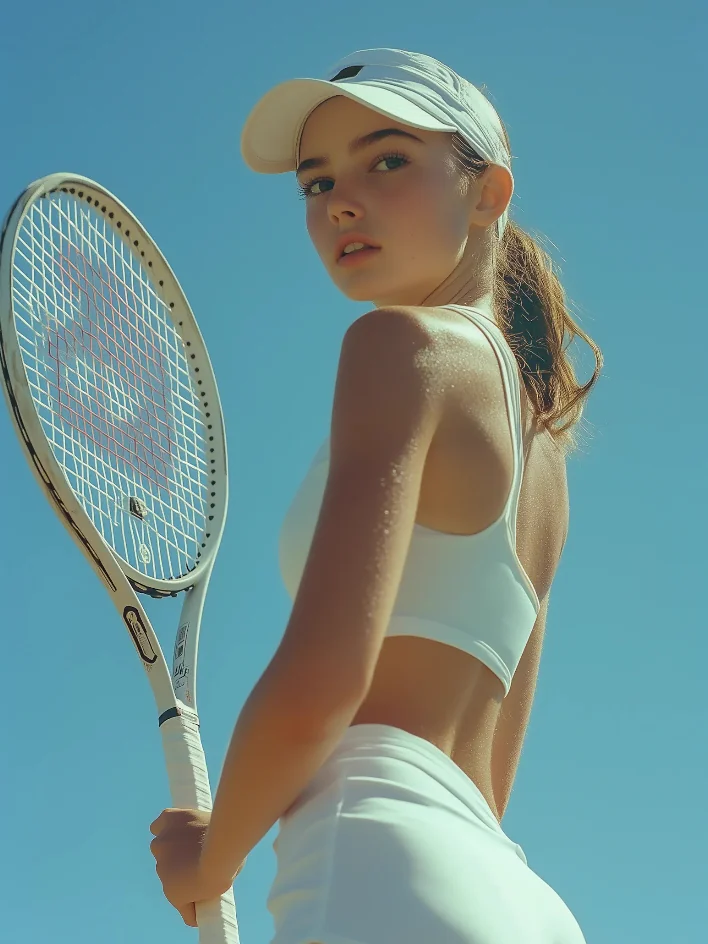
Adult woman in white tennis styling under a blue sky
Court-side daylight Bright editorial light for a clean portrait direction. Open Generator
Adult woman in a soft rose studio portrait
Soft studio portrait Warm blush tones and a closer beauty crop. Open Generator
Adult woman photographed with direct flash at night
Nightlife flash Direct flash and bold contrast for motion-ready scenes. Open Generator
Adult woman in green beachwear beside the ocean
Beach fashion Coastal color and full-body fashion framing. Open Generator

Image-first girlfriend workflows

Start with the look, then reuse the same character direction across photos, prompts, and motion.

AI Girlfriend Image Generator Build the first portrait and visual identity. Launch Tool AI Girlfriend Photo Generator Turn a prompt into profile-ready photo sets. Launch Tool Generator From Photo Use a reference image to guide the next look. Launch Tool No Sign Up Image Generator Test a lightweight image prompt before committing. Launch Tool

Video and motion paths

Move the strongest still image into a short visual clip once the style is stable.

AI Girlfriend Video Generator Animate a look with camera and motion prompts. Launch Tool AI Girlfriend Video Maker Plan short-form girlfriend video scenes. Launch Tool Video Generator No Sign Up Compare low-friction video entry points. Launch Tool Image to Video Workflow Turn a stable still image into a short motion test. Launch Tool

Popular guide pages

A broader in-body crawl path across the current SEO page set.

Free AI Girlfriend View Setup AI Girlfriend App View Setup Virtual Girlfriend View Setup Realistic AI Girlfriend View Setup AI Girlfriend Websites View Setup Sexy AI Girlfriend View Setup Hot AI Girlfriend View Setup NSFW AI Girlfriend View Setup AI Girlfriend Image Generator View Setup AI Girlfriend Image Generator No Sign Up View Setup

Explore More AI Image Styles

Discover 1 artistic styles for AI image generation, with different models and prompts as your creative partner

New
0
Start Creating

AI Undress Generator

Reference-only competitor assets never enter generation. Logged-in source uploads use R2 presigned-upload; Image mode can submit a real test job.

4mo ago
Create

Trust and editorial links

Keep trust pages connected to creation, safety, and examples

Trust and support pages should help crawlers understand the product, not stand apart from it. These links route readers back to safety, editorial standards, and core visual workflows.

Current page: UndressMe AI Image Generator for Outfit Remix

Editorial policy See how SEO and safety pages are reviewed. Safety guidelines Keep adult AI creation fictional, consent-aware, and safe. AI girlfriend image generator Start with a still character before video or chat. AI girlfriend video generator Animate a stable still image with simple motion.
Owned AI girlfriend trust page visual sample
Product context Show the visual product these trust pages support.
Owned adult AI safety context visual sample
Safety context Route adult intent into reviewed safety guidance.
Workflow context Connect support and updates to image/video workflows.
Undress Me

UndressMe AI | Adult Remove Clothes Studio for users searching Undress AI, source-image control, and private before/after review

Email
AI Girlfriend Guides
  • AI Girlfriend App
  • NSFW AI Girlfriend
Anime & Character AI
  • Anime AI Girlfriend No Sign Up
Trust & Safety
  • Editorial Policy
  • Adult AI Safety Guidelines
  • Billing Support
  • 2257 Compliance Statement
  • AI Content Takedown
  • Report / Request Removal
Resources
  • Create
  • Gallery
Company & Legal
  • About
  • Contact
  • Privacy Policy
  • Terms of Service
  • Refund Policy
  • Billing Support
  • AI Content Takedown
  • Report / Request Removal
  • 2257 Compliance

This website is an independent third-party service built around UndressMe AI workflows. We are not the official website for UndressMe AI, and all product names, model names, and trademarks belong to their respective owners.

© 2026 UndressMe AI All Rights Reserved.

[email protected]

    Model & settings

    Aspect Ratio

    Duration

    5s
    2s30s

    Resolution

    Repeat

    1
    2STARTER5LITE8PRO10MAXCurrent
    Advanced settings

    On: the video provider rewrites your prompt before it generates (prompt extend). Off: it uses the prompt in the box as you wrote it. The text in the box stays the same.

    This number is sent with the video. When the model, prompt, and references stay the same, the same seed can come close to the last result. The provider may still differ. Leave it unlocked and each run gets a new seed, so the next video is not identical.

    Video mode

    Video mode

    Upload reference

    0/1
    Hints

    Prompt

    Prompt
    0/20000
    Credit cost

    1 videos · 24 credits

    Samples are examples. Results follow the prompt and model and will not match the preview. For a closer match, use Image to Image for a still or Video to Video for a clip.

    1 / 2